What Is a Patchpanel? The Structured Cabling Guide
In modern network infrastructure, neatness is not just about aesthetics; it directly dictates performance, scalability, and downtime prevention. At the heart of any well-organized server room or telecommunications closet, a patchpanel serves as the central intersection point where incoming and outgoing cables converge. Rather than running cables directly from wall jacks in offices into an expensive network switch, structured cabling systems rely on patch panels to provide a clean, modular, and damage-resistant interface.

Whether you are outfitting a sprawling data center, upgrading an enterprise wiring closet, or simply building a dedicated home lab rack, understanding how patch panels function is essential. This guide breaks down the mechanics of patch panels, contrasts them with switches, examines the primary types available, and details best practices for installation.
How Does a Patchpanel Work?
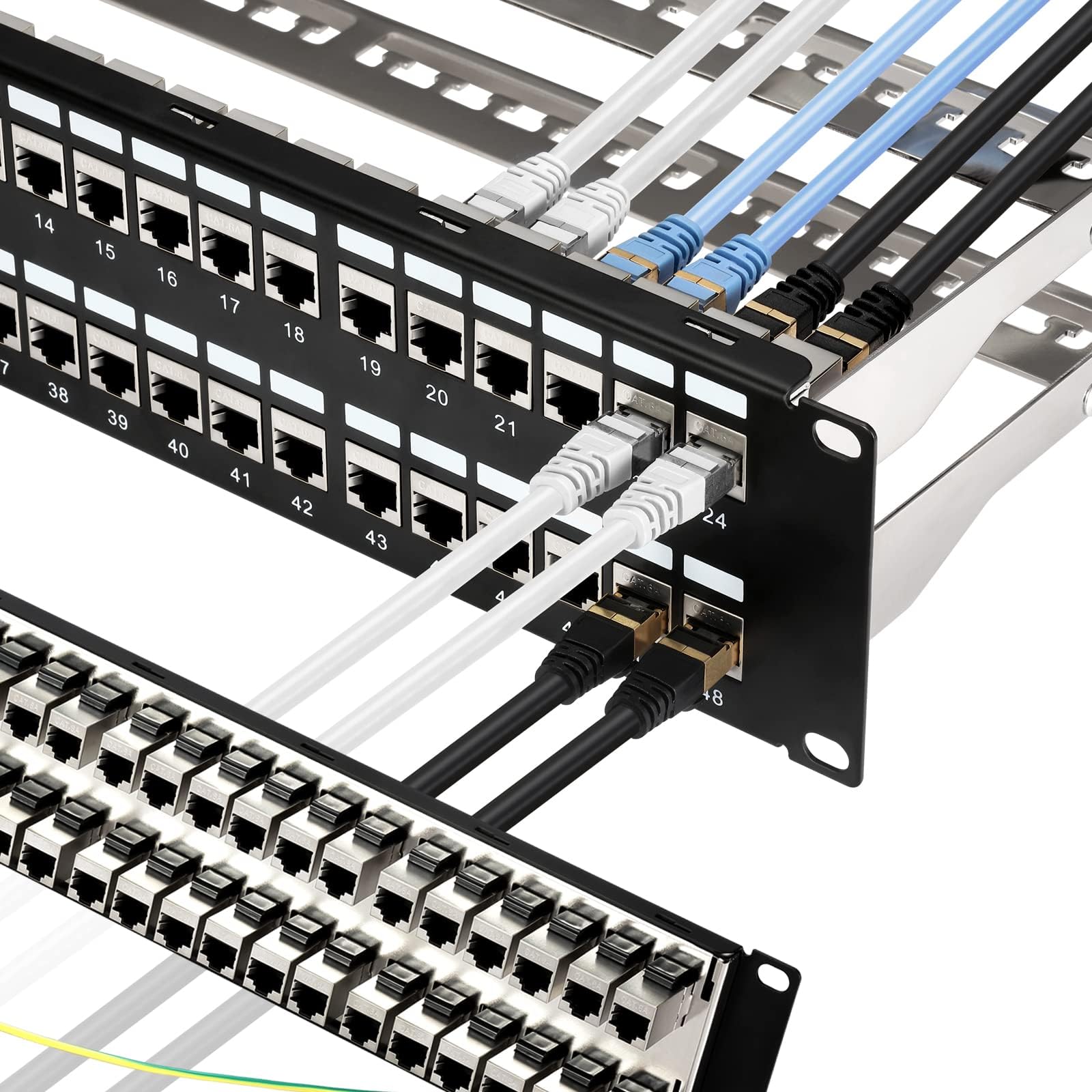
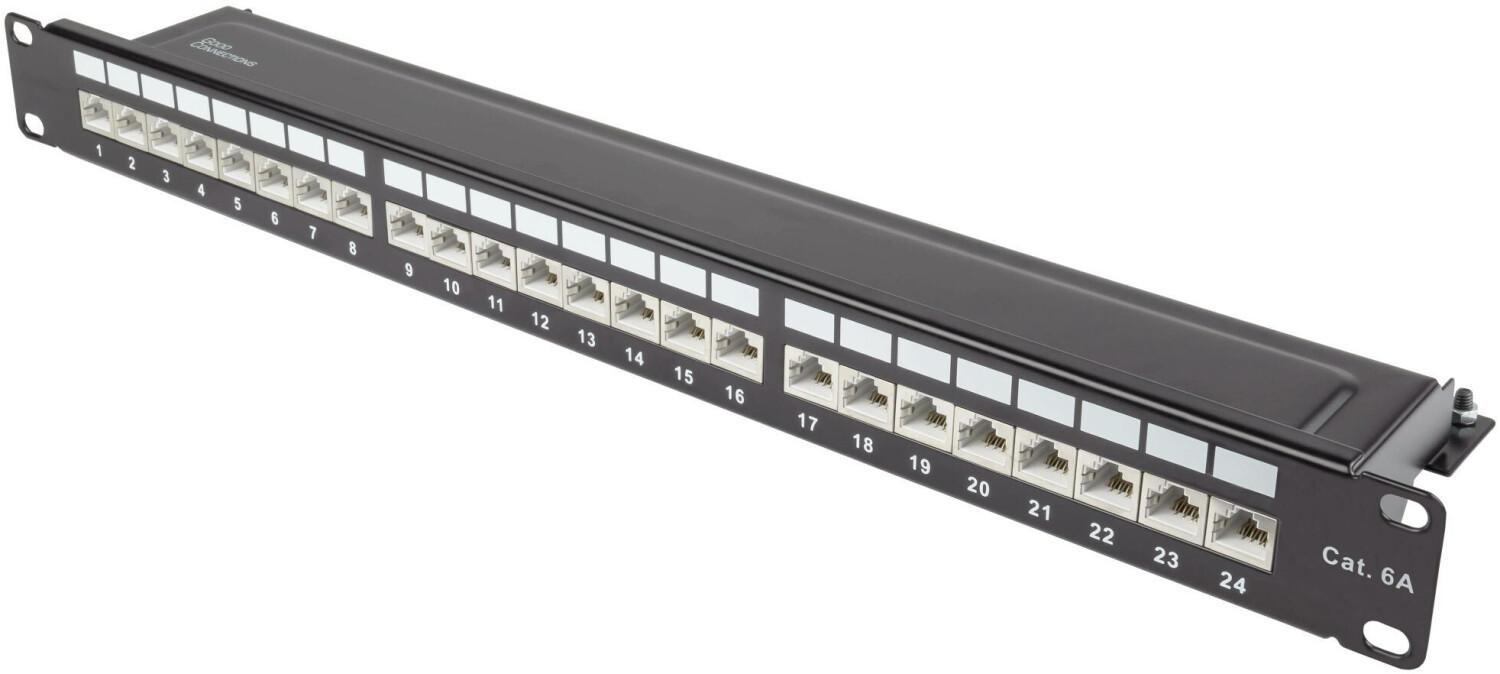
A patch panel is a passive hardware assembly containing a specific number of ports—typically 12, 24, or 48 in standard 19-inch rack enclosures. Its primary purpose is to act as a static termination point for bulk network cabling.
To understand its operation, consider the cabling path divided into two distinct zones:
- The Permanent Link (Back Side): Solid-core bulk cables (such as Cat6 or fiber) run through walls, ceilings, and raised floors from individual wall plates or remote devices. These long runs terminate permanently into the back of the patch panel via insulation displacement connectors (IDC) or keystone jacks. Once installed, these cables rarely move.
- The Patch Field (Front Side): The front of the panel features standard RJ45 or fiber couplers. Network engineers use short, flexible stranded patch cables to bridge connections between specific ports on the patch panel and ports on a nearby network switch, router, or firewall.
By separating the permanent wiring from the dynamic connections, any changes, moves, or reconfigurations occur strictly on the front side using disposable patch cords. This isolates the fragile internal building wiring from physical wear and tear.
Patchpanel vs. Network Switch: Understanding the Difference
One of the most frequent misconceptions among networking newcomers is confusing a patch panel with a network switch. While they may sit in the same rack and feature identical rows of RJ45 ports, their internal operations could not be more different.
| Feature | Patchpanel | Network Switch |
|---|---|---|
| Device Type | Passive (No power required) | Active (Requires electrical power) |
| Function | Physical cable organization and termination | Data packet routing, switching, and traffic management |
| Intelligence | None (Acts as an open physical conduit) | Inspects MAC/IP addresses, creates VLANs, handles QoS |
| Failure Risk | Virtually zero (No moving parts or electronics) | Vulnerable to hardware failure, firmware bugs, power surges |
A patch panel does not process data, amplify signals, or assign IP addresses. It merely holds wire terminations in place. Connecting two devices to the front of a patch panel does nothing unless those ports are patched into an active network switch that routes the data between them.
Primary Types of Patch Panels
Selecting the right panel depends heavily on your cabling media, environment, and how frequently you anticipate upgrading your setup.
1. Punch-Down Panels
Traditional punch-down panels feature integrated printed circuit boards (PCBs) with IDC blocks (usually 110-type or Krone) mounted directly to the rear of the panel. Technicians strip the cable jacket and use a specialized punch-down tool to push each twisted wire pair into the contacts, which automatically cuts the insulation and trims excess copper.
Pros: Generally lower cost per port; solid, reliable terminations when punched correctly.
Cons: If a single port fails or suffers damage, repairing or replacing it can be tedious, sometimes requiring replacement of the entire panel assembly.
2. Keystone Jack Panels
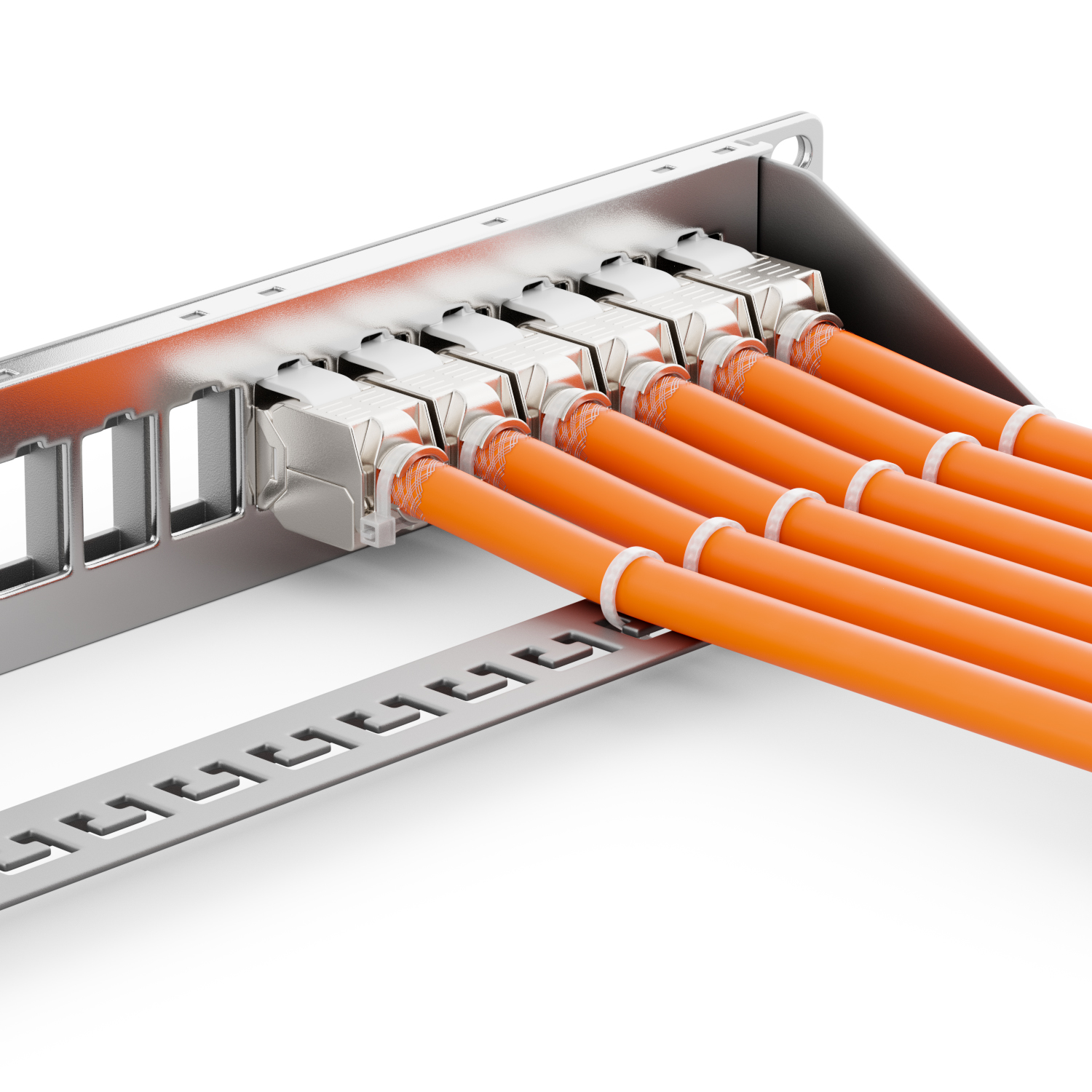
Keystone panels consist of an unpopulated metal or heavy plastic frame featuring empty rectangular cutouts. Individual keystone modules—such as Cat6 RJ45 jacks, HDMI pass-throughs, USB, or fiber couplers—snap directly into these slots.
Pros: Extreme flexibility. You can terminate each cable into a separate jack comfortably on a work table before snapping it into the rack. It also allows mixing media types (e.g., copper and fiber) within a single 1U rack space. If a port fails, you replace a single modular jack for a few dollars.
Cons: Marginally higher initial component cost compared to integrated punch-down boards.
3. Shielded (STP) vs. Unshielded (UTP) Panels
For standard office or residential deployments, Unshielded Twisted Pair (UTP) panels are the industry standard. However, in industrial environments, medical facilities, or dense 10GBASE-T deployments with high electromagnetic interference (EMI), Shielded Twisted Pair (STP) panels are required. Shielded panels feature grounded metal frames and metal-encased jacks that drain ambient electrical noise away from the transmission lines, preventing alien crosstalk.
4. Fiber Optic Enclosures
While twisted-pair copper dominates the access layer, backbone infrastructure relies on optical fiber. Fiber patch panels—often called fiber distribution hubs or patch enclosures—use specialized adapters (LC, SC, or MTP/MPO). Because optical fiber cannot tolerate tight bends, fiber patch panels feature internal splice trays, spooling rings, and sliding drawers to ensure cables maintain their minimum bend radius.
Key Benefits of Using a Patchpanel
Skipping a patch panel and running solid-core cables directly from ceiling drops into a switch may save a small amount of money upfront, but it creates operational headaches over time. Integrating a dedicated patch panel delivers distinct advantages:
- Protection of Active Equipment: Network switch ports are susceptible to damage if cables are constantly plugged, unplugged, and yanked during routine troubleshooting. Patch panels endure the physical stress, protecting expensive switches from port degradation.
- Reduced Cable Wear and Kinking: Solid-core twisted-pair cable is designed to stay stationary. Repeatedly bending it leads to micro-fractures in the copper conductors, causing intermittent packet loss. Patch panels keep solid-core cable fixed while flexible, stranded-core patch leads take the bending.
- Streamlined Troubleshooting: In a tidy rack with standard labeling, a technician can trace an issue from an employee's desk port to an exact panel port in seconds, isolating whether an issue is caused by the wall jack, the switch port, or the device itself.
- Improved Airflow and Aesthetics: Jamming dozens of long cables directly into switch fronts creates tangled "spaghetti" bundles. These nests trap heat inside equipment racks, shortening the lifespan of switches and servers. A structured patch field combined with cable managers promotes clear thermal pathways.
Best Practices for Installing and Managing Patch Panels
To maximize the reliability and serviceability of your patch panel installation, follow these industry-tested standards:
- Adopt ANSI/TIA-606-C Labeling Standards: Never rely on memory. Clearly label both ends of every cable, the wall faceplate, the rear termination of the panel, and the front port. Use durable, machine-printed polyester labels rather than handwritten tape.
- Preserve Pair Twists: When terminating Cat6 or Cat6a cabling, do not untwist the internal pairs more than 0.5 inches (12 mm) from the point of termination. Excessive untwisting introduces near-end crosstalk (NEXT), which degrades link speeds and can drop a 10Gbps link down to 1Gbps.
- Maintain Strain Relief: Heavy bundles of hanging copper can pull wires out of their punch-down slots over time. Always secure cable bundles to the rear cable management bar using hook-and-loop fasteners (Velcro) rather than plastic zip ties, which can crush internal pair geometry.
- Implement Color-Coding: Use colored patch cables on the front side to immediately indicate traffic types. For instance: blue for standard office data, yellow for VoIP phones, red for security cameras and access control, and purple for management uplinks.
- Match Rack Units (RU): In high-density racks, standard practice is to place a 1U or 2U horizontal cable manager directly above or below each patch panel, or alternate patch panels directly with network switches (1U switch, 1U patch panel) so that 6-inch patch cords can connect ports directly without long vertical routing.
Conclusion
A patch panel is an indispensable component of any scalable network infrastructure. By providing a clean demarcation between permanent structural cabling and dynamic switch connections, it safeguards hardware, accelerates diagnostic work, and keeps data transmission clean and reliable. Investing in quality panels and methodical cable management pays dividends over the lifespan of your network.