What is SSD TBW? Meaning, Lifespan, and Limits Explained
Understanding SSD TBW Meaning and Basics

When shopping for a new solid-state drive (SSD), you will likely encounter a metric known as TBW. Understanding the SSD TBW meaning is essential for anyone looking to gauge a drive's durability before making a purchase. In short, TBW stands for Terabytes Written.
TBW represents the total amount of data you can write to an SSD over its lifetime before the flash memory cells begin to wear out. Manufacturers use this specification to quantify drive endurance and back their products with warranty coverage. Far from being a random marketing gimmick, TBW is a calculated engineering estimate based on the physical limits of NAND flash memory.
Every time you save a file, install a game, or update your operating system, you write data to your SSD. Because flash memory degrades slightly with each write operation, manufacturers assign a TBW rating to set realistic expectations for how long the drive will remain reliable under normal workloads.
How TBW Works and Why Flash Memory Wears Out
To fully grasp what TBW means for your computer, it helps to understand the underlying technology of solid-state storage. Unlike traditional mechanical hard drives (HDDs) that use spinning magnetic platters, SSDs use flash memory chips consisting of millions of microscopic transistors.
Writing data to these transistors requires electrical voltage to trap or release electrons, a process governed by Fowler-Nordheim tunneling or hot-carrier injection. Over thousands of write cycles, this microscopic stress slowly damages the insulating oxide layer surrounding the transistors. Eventually, the insulation degrades to the point where it can no longer reliably hold an electrical charge, rendering that specific memory cell prone to data corruption or failure.
The Role of Wear Leveling
Fortunately, modern SSDs do not let one specific area take all the abuse. Every drive includes a built-in controller running firmware that manages a process called wear leveling.
- Wear leveling algorithms distribute write operations evenly across all memory chips on the drive.
- If you edit the same text file repeatedly, the controller shifts the actual physical storage location of that file to fresh memory blocks.
- This ensures that no single memory cell wears out prematurely, maximizing the drive's overall lifespan up to its designated TBW limit.
Decoding SSD Specifications: Real-World Examples
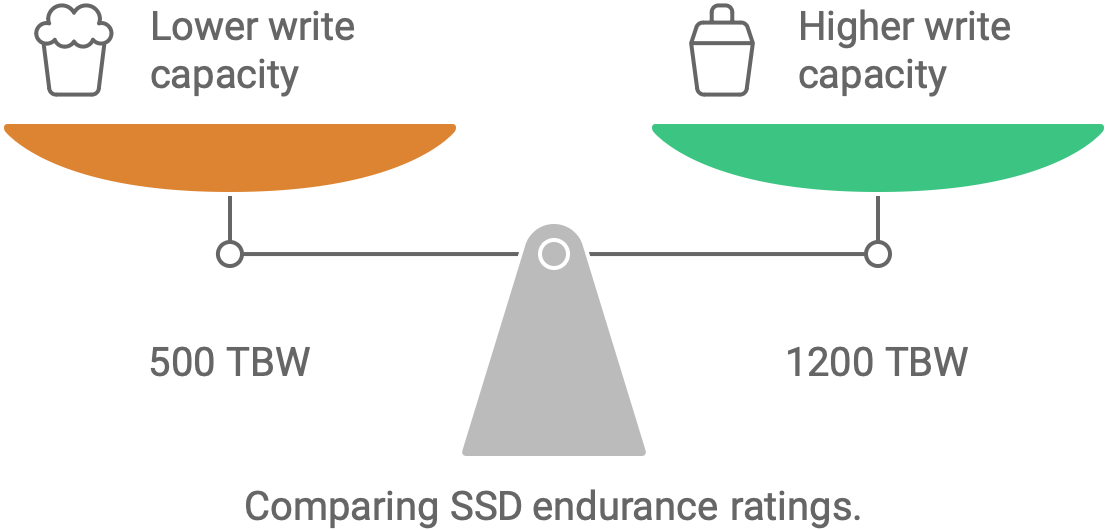
Manufacturers typically express TBW ratings in terabytes, scaling directly with the capacity of the drive. For instance, a budget 500GB SSD might have a rating of 300 TBW, while a high-end 2TB drive of the exact same model series might be rated for 1,200 TBW.
Video: SSD TBW..... Cuekin Aja
Let's look at how these numbers translate to everyday usage scenarios:

- Light Users (Web browsing, office work, media streaming): These users typically write between 5GB to 15GB of data to their drive per day. At 10GB per day, it would take roughly 82 years to reach 300 TBW.
- Gamers and Content Creators (Frequent game downloads, 4K video editing): Writing 50GB to 100GB daily is common here. Even at a heavy 100GB per day, reaching 600 TBW would take over 16 years.
- Enterprise Workloads (Server databases, heavy virtual machine swapping): Enterprise environments constantly write hundreds of gigabytes or terabytes daily. This is why enterprise drives feature much higher TBW ratings and use different types of NAND memory (such as SLC or eMLC) compared to consumer drives.
Does TBW Affect Your SSD Warranty?
TBW is not just a performance indicator; it plays a critical legal role in your hardware warranty. Manufacturers usually define their limited warranties using two main criteria: a specific number of years (such as 3 or 5 years) or the drive's TBW limit—whichever comes first.
If you purchase an SSD with a 5-year warranty and a 600 TBW rating, the manufacturer guarantees the drive will function properly for 5 years *unless* you exceed 600 TBW of writes before that time period expires. Exceeding the TBW limit voids the warranty, even if the drive has only been in your possession for six months.
However, for the vast majority of consumer users, hitting the TBW limit within the warranty window is nearly impossible. Most users upgrade their computers or replace their drives due to technological obsolescence long before the flash memory actually wears out.
How to Check Your SSD's Current TBW Usage
If you are curious about how much life is left in your current storage drive, you can easily check your SSD's cumulative writes using specialized diagnostic software. Most modern drives support SMART (Self-Monitoring, Analysis, and Reporting Technology) attributes that track health metrics in real-time.
- Download a reputable drive monitoring tool such as CrystalDiskInfo (Windows), DriveDx (macOS), or smartmontools (Linux/cross-platform).
- Open the application and locate your SSD in the connected storage list.
- Look for attributes labeled Total Bytes Written, Host Writes, or Data Units Written.
- Compare that current written amount against the official manufacturer TBW specification for your specific drive model.
In most cases, you will likely find that your current lifetime writes account for only a tiny fraction—often less than 5%—of the total allowable TBW limit, even after years of active use.
Should You Worry About TBW When Buying an SSD?
For standard desktop PCs, gaming rigs, and laptops, you do not need to stress excessively over TBW ratings. Modern consumer SSDs—whether SATA or NVMe—are exceptionally durable, and normal operating system tasks simply do not generate enough write volume to exhaust a modern drive prematurely.
That said, checking the TBW specification is still a useful habit under specific circumstances:
- Heavy Workloads: If you use your machine for continuous 4K video rendering, heavy database management, or running multiple virtual machines, look for a drive with a higher-than-average TBW rating.
- Budget Drives: Extremely cheap, off-brand SSDs sometimes use low-quality or recycled NAND flash with drastically reduced TBW limits. Stick to reputable brands (such as Samsung, Western Digital, Crucial, Kingston, or Sabrent) to ensure reliable endurance specifications.
- Second-Hand Drives: If you are buying a used SSD, always check the SMART data to see how much TBW has already been consumed by the previous owner.
Ultimately, while knowing the SSD TBW meaning helps you make informed hardware purchasing decisions, you can rest easy knowing that modern solid-state storage is built to outlast almost everything else inside your computer.