What Is the Moz Bar? Features, Setup, and Guide
Introduction to the Moz Bar

For digital marketers, content creators, and SEO professionals, having quick access to website metrics can make or break a competitive analysis. Instead of constantly opening a separate dashboard to check a site's strength, the Moz Bar brings essential SEO data directly to your browser.
Developed by Moz, a leading authority in search engine optimization, this free browser extension is a staple in many digital toolkits. Whether you are conducting backlink outreach, evaluating competitor strategies, or auditing your own web pages, understanding how to leverage this tool is vital for modern SEO workflows.
What Is the Moz Bar and How Does It Work?
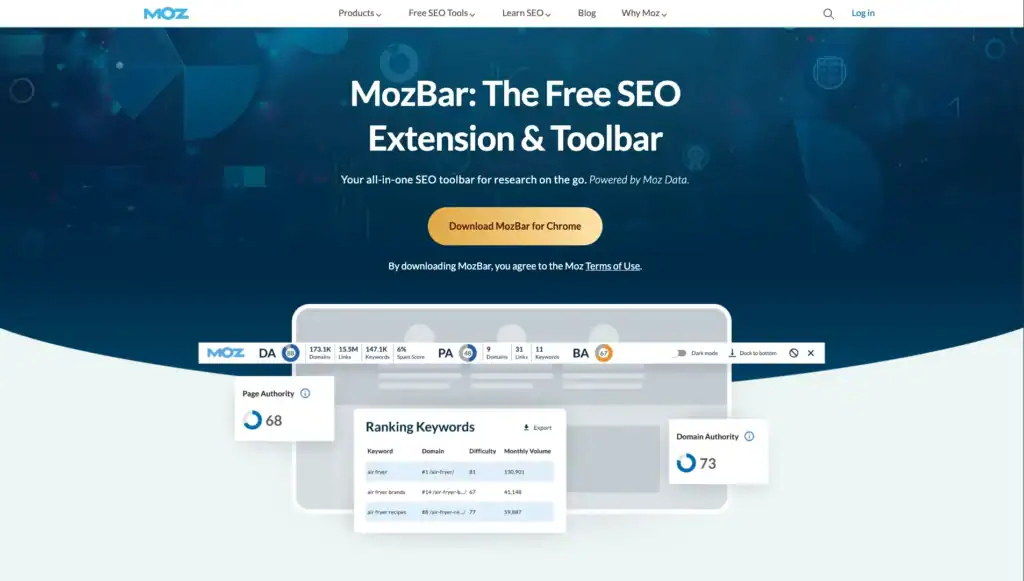
The Moz Bar is a free Chrome and Firefox extension that provides instant metrics as you browse the web or view search engine results pages (SERPs). Once installed and logged into a free Moz account, the toolbar overlays critical data onto any webpage you visit.
At its core, the tool bridges the gap between raw web browsing and deep SEO data analysis. Instead of guessing whether a website holds strong authority, you can see its metrics within seconds of landing on the URL.
Key Features of the Moz Bar
The extension offers a robust suite of features designed to speed up research. Depending on whether you use the free version or upgrade to Moz Pro, your capabilities will vary slightly, but the core features remain exceptionally useful.
1. Domain Authority (DA) and Page Authority (PA)
The standout feature of the extension is its display of Moz's proprietary metrics:
- Domain Authority (DA): A score ranging from 1 to 100 that predicts how likely a website is to rank in search engine result pages based on its overall link profile.
- Page Authority (PA): A similar score ranging from 1 to 100, but focused strictly on the predictive ranking power of an individual URL rather than the entire domain.
2. On-Page Element Analysis
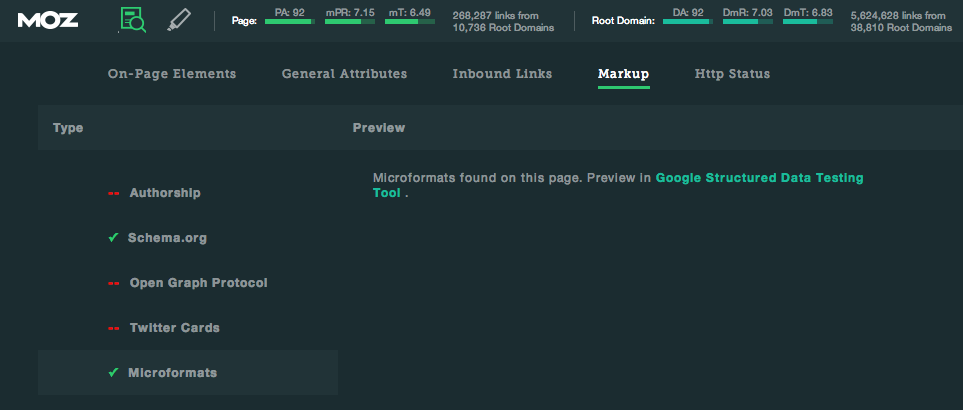
With a single click, you can break down the on-page optimization of any URL. The on-page analysis tool highlights:
- Title tags and meta descriptions
- H1 and H2 header structures
- Image alt text and load times
- Canonical tags and robots.txt directives
3. SERP Overlay and Keyword Difficulty
When you perform a Google search with the extension active, an overlay appears beneath each search result. It displays the DA and PA of every ranking page, along with an estimated keyword difficulty score for your query. This helps you instantly gauge how hard it will be to rank for a specific term.
4. Link Metrics and Highlight Links
The tool allows you to isolate specific types of links on a page. You can easily highlight internal, external, follow, and nofollow links, making it simple to audit a page's internal linking structure or spot potential backlink opportunities.
How to Install and Set Up the Moz Bar
Getting started with the extension takes less than two minutes. Follow these simple steps to add it to your browser:
- Navigate to the Chrome Web Store or Firefox Add-ons repository.
- Search for "Moz Bar" (or "MozBar").
- Click "Add to Browser" and confirm the installation permissions.
- Once installed, look for the lowercase "M" icon in your browser's extension toolbar.
- Click the icon and log in using your free Moz Community account credentials. If you do not have an account, registration is free.
Once logged in, the toolbar is fully activated and ready for use across the web.
Practical Use Cases for SEO Professionals
Knowing what the tool does is only half the battle; knowing how to apply it to your daily routine maximizes its value. Here are three practical ways to use it:
Competitive Analysis
When researching competitors in your niche, type your target keywords into Google and examine the SERP overlay. If the top five results all feature Domain Authorities above 80, but your site sits at a 25, you know you need to target long-tail, lower-competition keywords before tackling head-on terms.
Link Building Prospecting
During guest post or outreach campaigns, visiting prospective partner sites and checking their DA instantly helps you filter out low-quality or spammy domains. Focusing your energy on sites with strong, healthy authority metrics yields better SEO results.
Quick Technical Audits
Use the on-page element breakdown when reviewing draft content or auditing existing pages. Verifying that your title tags, meta descriptions, and header tags are properly optimized takes just one click, ensuring no basic technical SEO errors slip through the cracks.
Moz Bar Free vs. Pro: What's the Difference?
While the free version of the extension provides ample data for casual users and basic audits, upgrading to a paid Moz Pro subscription unlocks deeper insights:
- Free Version: Provides basic DA, PA, spam scores, and standard on-page element breakdowns.
- Pro Version: Unlocks advanced keyword metrics, robust link profile data, difficult SERP analysis, and comprehensive site crawl capabilities directly through the Moz ecosystem.
For most beginner to intermediate bloggers and marketers, the free version satisfies daily research needs. Enterprise agencies or dedicated SEO specialists often find value in the full Moz Pro suite.
Conclusion
The Moz Bar remains a must-have browser extension for anyone serious about search engine optimization. By delivering instant access to Domain Authority, Page Authority, and on-page technical data right inside your browser, it streamlines research and eliminates repetitive workflows. Install it today to bring immediate, data-driven clarity to your browsing and SEO strategies.