What to Delete Today to Secure Your Future
Reclaiming Your Privacy in a Data-Driven World
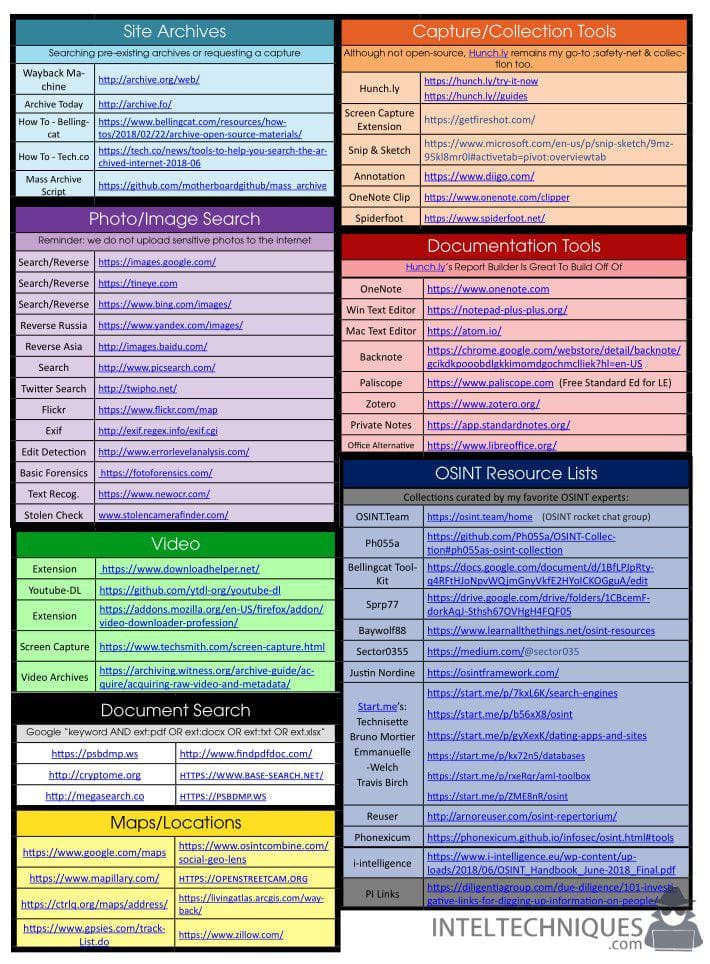
In the digital age, every click, sign-up, and shared photo leaves a permanent digital exhaust. Open-Source Intelligence (OSINT) investigators, cybercriminals, and aggressive data brokers harvest this information to build comprehensive dossiers on your life. If you want to protect your financial security, physical safety, and peace of mind, you need to starve these predators of data. This guide acts as your ultimate OSINT Defender’s cheat sheet, breaking down exactly what to delete today to secure your future.
Bad actors don't need to hack your device to steal your identity; they simply look at what you have willingly or accidentally left exposed online. By systematically purging vulnerable files, inactive accounts, and exposed metadata, you dramatically reduce your attack surface. Let's dive into the practical deletions you can make right now.
1. Inactive Accounts and Forgotten Profiles
Every web service you have ever registered for is a potential liability. Companies get breached daily, and credentials from a forgotten forum in 2012 can compromise your primary email today if you practiced password reuse.
What to delete:
- Old social media profiles (MySpace, old Twitter/X burners, forgotten Instagram accounts).
- Dormant e-commerce accounts you haven't used in over a year.
- Unused mobile apps and their associated cloud accounts.
Use tools like HaveIBeenPwned to check if your email addresses are tied to known data breaches. For active accounts you no longer need, navigate to the privacy settings and look for the permanent account deletion button rather than a simple deactivation.
2. High-Risk Personal Data Files Locally and in the Cloud
Many people store sensitive documents in unsecured folders on their computers, local network drives, or cloud storage platforms like Google Drive and Dropbox. If malware infects your system or a cloud account is compromised, these files become instant goldmines for identity thieves.
What to delete:
- Scans of your passport, driver’s license, and Social Security card stored in photo libraries or email drafts.
- Outdated tax returns and bank statements that are no longer legally required to be kept.
- Spreadsheets containing plaintext passwords, security question answers, or master PIN codes.
If you must keep essential documents, move them to an encrypted, offline drive or use a zero-knowledge encrypted cloud storage provider. Empty your recycle bin and trash folder immediately after deletion.
3. Geotagged Photos and Metadata
When you take a photo with a smartphone, the file often embeds EXIF metadata. This data can include the exact GPS coordinates, timestamp, and device model. OSINT analysts and stalkers can easily extract this information to track your daily routines.

What to delete:
- Geotagged photos posted to public forums or image-sharing sites.
- Old photo backups on public-facing cloud links.
Moving forward, disable location services for your camera app. For photos you already share, use a metadata scrubbing tool to strip out location and device details before uploading.
4. Data Broker Profiles and Public Records
Data brokers scour public registries, social media, and court records to compile dossiers containing your phone number, current address, past addresses, relatives, and estimated net worth. They sell these profiles to marketers, scammers, and anyone willing to pay a small fee.
What to delete:
- Your listings on major people-search sites (Whitepages, Spokeo, BeenVerified, Radaris).
- Voter registration details where public lookup is optional in your state.
You can opt-out of these sites manually or use a reputable privacy-as-a-service removal tool to automate the process. Clearing these directories is one of the most effective steps you can take to prevent targeted phishing and social engineering attacks.
5. Browser Cache, Autofill Data, and Extension Bloat
Your web browser knows more about you than your closest friends. It records your search history, autocomplete addresses, credit card numbers, and browsing habits. If a malicious script runs on your browser or someone gains physical access to your unlocked laptop, your entire digital life is exposed.
What to delete:
- Saved credit card information from browser autofill settings.
- Unused or suspicious browser extensions with broad data-reading permissions.
- Stored autocomplete form data and browsing histories on shared devices.
Switch to a dedicated, encrypted password manager instead of letting your browser handle sensitive credentials. Regularly clear your cache and set your browser to wipe cookies upon closing.
Conclusion: Maintaining Your Digital Hygiene
Securing your future is not a one-time event; it is an ongoing maintenance routine. By following this OSINT Defender’s cheat sheet and deleting unnecessary accounts, sensitive files, metadata, and data broker listings, you make yourself a significantly harder target for bad actors. Start with just one category today, and build a habit of proactive digital minimalism.