Where Is Fios 2 Gig Available? Is Your Home Ready?
High-speed internet marketing has entered the multi-gigabit era, promising download and upload speeds that were unthinkable in residential homes just a few years ago. If you find yourself asking, where is Fios 2 Gig available? Is your home ready? Probably not. While Verizon has aggressively touted its symmetrical 2,048 Mbps fiber tier, there is a substantial gap between availability on a marketing flyer and the real-world capability of your living room hardware.

Upgrading to multi-gigabit fiber sounds tempting, but taking full advantage of those speeds requires both neighborhood-level network upgrades from Verizon and an overhaul of your personal networking stack. Here is an honest breakdown of where the service actually lives, why your home infrastructure is likely unready, and what it takes to bridge that gap.
Where Is Verizon Fios 2 Gig Currently Available?
Verizon began rolling out its 2 Gig tier in early 2022, but deployment has been selective rather than universal. Unlike traditional Fios expansions, rolling out 2 Gig requires physical upgrades to Verizon’s central offices and optical distribution hubs.
Fios 2 Gig is currently available in select portions of the following core metropolitan markets:
- New York City: Coverage exists across parts of all five boroughs (Manhattan, Brooklyn, Queens, the Bronx, and Staten Island), though availability varies street by street and building by building.
- Long Island & Northern New Jersey: Select suburban communities with high fiber density have access.
- Philadelphia Metro Area: Pockets of Philadelphia and surrounding eastern Pennsylvania suburbs.
- Washington, D.C., Maryland, and Northern Virginia: Specific urban centers and densely populated suburban corridors.
- Parts of Massachusetts, Delaware, and Rhode Island: Very selective urban clusters within legacy Fios footprints.
Even if your neighbor across the street has access to standard 1 Gig Fios, you may discover that 2 Gig is unavailable at your address. The reason comes down to optical architecture.
The NG-PON2 Bottleneck
Standard Verizon Fios relies on GPON (Gigabit Passive Optical Network) technology. A single GPON optical line terminal generally caps out at 2.488 Gbps downstream and 1.244 Gbps upstream, shared across up to 32 or 64 subscriber homes. It is physically impossible to give multiple customers symmetrical 2 Gbps connections on a GPON split.
To deliver 2 Gig, Verizon must deploy NG-PON2 (Next-Generation Passive Optical Network 2) equipment. This technology uses multiple wavelengths of light on the same fiber strand to deliver up to 40 Gbps symmetrical capacity across a neighborhood run. Upgrading to NG-PON2 requires new line cards at the central office, new optical splitters, and a brand-new Optical Network Terminal (ONT) installed on your wall. Because this upgrade is capital-intensive, Verizon prioritizes high-density markets where return on investment is fastest.
Where Is Fios 2 Gig Available? Is Your Home Ready? Probably Not
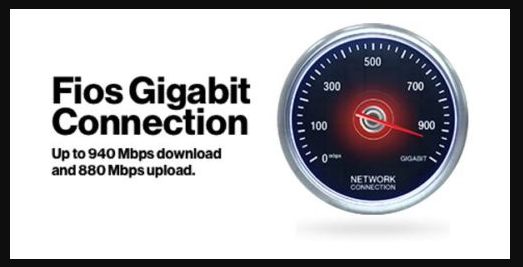
Assume for a moment that your address qualifies and the technician completes the installation. You plug your computer in, run a speed test, and see 940 Mbps. What happened?
The hard truth is that nearly 95% of consumer home networks are built entirely on Gigabit Ethernet standards. Every component between Verizon's fiber and your application must support multi-gig throughput. If a single link in the chain tops out at 1 Gbps, the entire connection slows to that baseline.
1. Your Device's Network Interface Card (NIC)
Almost every laptop, desktop motherboard, streaming box, and smart TV produced over the last decade features a standard 1 GbE (Gigabit Ethernet) port. Because of standard network protocol overhead (TCP/IP encapsulation), a 1 GbE port maxes out around 940 to 950 Mbps.
Even modern gaming consoles like the PlayStation 5 and Xbox Series X only feature 1 Gbps Ethernet ports. Unless you have specifically purchased a modern high-end desktop motherboard with an integrated 2.5GbE or 10GbE port, your computer cannot physically accept more than roughly 1 Gbps of data.
2. The Wi-Fi Physics Reality
Do not expect to see 2 Gbps over standard wireless. While Verizon supplies their modern Fios Router (CR1000A/B), which features Wi-Fi 6E capabilities, wireless physics present inescapable boundaries:
- Wi-Fi 5 (802.11ac): Real-world speeds top out between 300 and 500 Mbps under typical conditions.
- Wi-Fi 6 (802.11ax): On typical client devices (which use 2x2 antenna configurations and 80 MHz channel widths), real-world throughput tops out around 700 to 850 Mbps.
- Wi-Fi 6E / Wi-Fi 7: While capable of exceeding 1 Gbps over the pristine 6 GHz spectrum using 160 MHz or 320 MHz wide channels, you must be in the same room as the router without wall obstruction, and your client device must support 6 GHz reception.
Most smartphones, tablets, and budget laptops simply do not have the antenna design to hit 2 Gbps over the air.
3. Unmanaged Switches and In-Wall Cabling
If you live in a modern home wired with Ethernet wall jacks, examine the cabling jacket and your central distribution panel. Cat5e cable can technically achieve 2.5 Gbps over short distances, but older terminations, low-quality crimps, or bends can force links to negotiate down to standard gigabit speeds. For reliable 2 Gig and beyond, Cat6 or Cat6a cabling is the standard.
Furthermore, if your home wiring routes through a standard $20 desktop network switch in an office or media cabinet, that switch almost certainly features 1 Gbps ports. Any device downstream of that switch will remain capped at sub-gigabit speeds.
The Hardware Checklist to Truly Support 2 Gig
To actually leverage a 2 Gbps internet pipe on a single machine or distribute it efficiently across multiple devices, you will need targeted hardware upgrades:
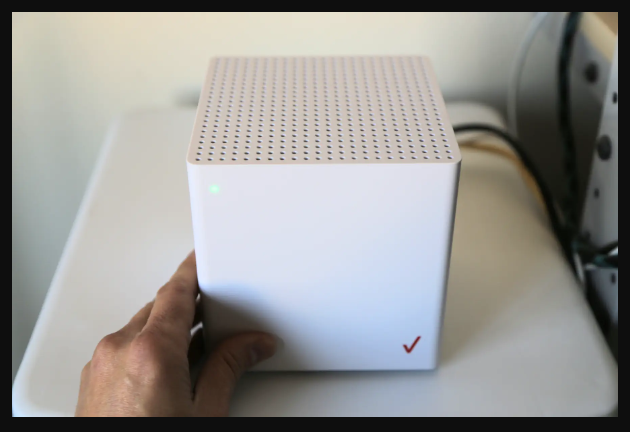
- Multi-Gig Router or Gateway: Verizon provides an ONT with a 10GbE WAN port and a matching CR1000A/B router featuring 10GbE and 2.5GbE LAN ports. If you prefer your own router (like Asus, Ubiquiti, or pfSense), it must have at least one multi-gig WAN port and at least one multi-gig LAN port.
- 2.5GbE or 10GbE Network Switches: Replace existing gigabit switches with multi-gigabit unmanaged or managed switches to maintain pipeline speeds throughout your home.
- PCIe or Thunderbolt Adapters: Add a 2.5GbE or 10GbE PCIe network card to your desktop computer. For laptops with Thunderbolt 3 or USB4 ports, you will need an external 2.5G/5G/10G Ethernet adapter.
- Cat6 or Cat6a Patch Cables: Ensure all cables connecting the ONT, router, switches, and client devices are verified Cat6 or higher.
Do You Actually Need Fios 2 Gig?
Unless you are regularly moving massive data sets, running local homelabs, operating offsite NAS backups, or hosting simultaneous multi-stream video production environments, 2 Gig is likely unnecessary. For everyday 4K video streaming, standard web browsing, and competitive gaming, latency matters far more than raw throughput—and latency on Verizon’s 300 Mbps, 500 Mbps, and 1 Gig plans is virtually identical to the 2 Gig tier.
Before paying the premium subscription fee for 2 Gig Fios, check your address on Verizon's availability portal, inspect your home's current network interface cards, and audit your switches. Unless you are prepared to spend several hundred dollars upgrading your home infrastructure, sticking with standard Gigabit fiber remains the smarter, more practical choice.