YOLOv5 GitHub Guide: Setup, Training, and Export
When Ultralytics released YOLOv5 in 2020, it fundamentally changed how developers approach real-time computer vision. Unlike earlier Darknet-based implementations of the YOLO (You Only Look Once) architecture, YOLOv5 was written natively in PyTorch. Today, the official yolov5 github repository remains one of the most battle-tested, cleanly documented, and production-ready object detection repositories in open-source AI.

Whether you need to detect bounding boxes on edge devices or fine-tune a model on a proprietary dataset, this guide walks you through navigating the codebase, running inference, training custom models, and preparing your weights for production.
Getting Started: Cloning and Setting Up the Repository
The YOLOv5 codebase relies on standard Python package management, but establishing an isolated virtual environment is critical to avoid dependency conflicts with CUDA and PyTorch versions.
1. Clone the Codebase
Clone the official repository from Ultralytics directly to your local development machine or cloud virtual machine:
git clone https://github.com/ultralytics/yolov5.git
cd yolov5
2. Configure the Environment
YOLOv5 requires Python 3.8 or higher. Create a dedicated environment using venv or Conda:
python -m venv yolov5-env
source yolov5-env/bin/activate  # On Windows: yolov5-env\Scripts\activate
pip install --upgrade pip
pip install -r requirements.txt
The requirements.txt file automatically pulls compatible versions of PyTorch, TorchVision, OpenCV, NumPy, and visualization utilities like Matplotlib and Seaborn. If you have an NVIDIA GPU, ensure that your installed PyTorch build detects your CUDA drivers by testing torch.cuda.is_available() in Python.
Navigating the Core Files in the YOLOv5 GitHub Repository
One reason the yolov5 github project gained rapid adoption is its clean, predictable layout. Understanding where primary operations live saves hours of manual debugging.
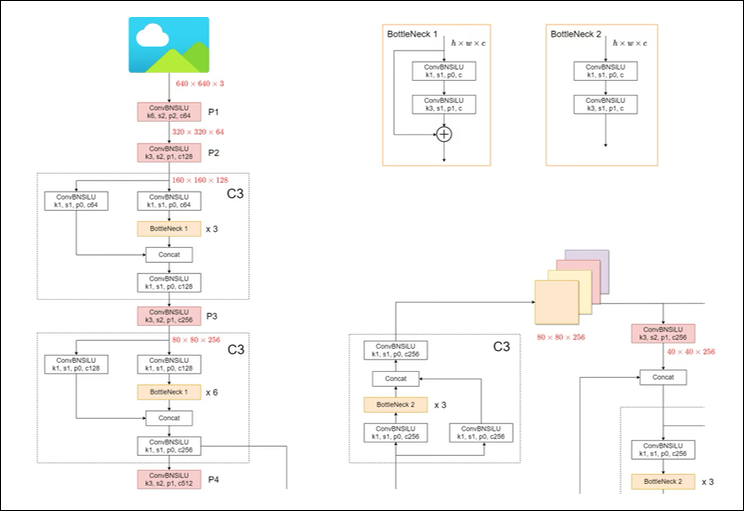
detect.py: The primary script for running inference on images, video feeds, YouTube streams, or webcam inputs using pre-trained or custom weights.train.py: The core training pipeline supporting distributed data parallel (DDP) training, mixed precision (FP16), hyperparameter evolution, and automatic logging to TensorBoard or Weights & Biases.val.py: The validation script used to calculate mAP (mean Average Precision), precision, recall, and speed benchmarks across specific validation datasets.export.py: Converts native PyTorch checkpoints (.pt) into optimized deployment formats such as ONNX, TensorRT, CoreML, OpenVINO, and TFLite.models/: Contains architecture configuration YAML files (e.g.,yolov5s.yaml,yolov5m.yaml) defining layer depths, channel widths, and anchor distributions.data/: Stores dataset configuration files describing paths, class counts, and label names.
Running Your First Inference Pipeline
To verify your installation, run an inference test using the default pre-trained model. Ultralytics hosts pre-trained weights on GitHub releases, and detect.py automatically downloads missing weights when executed.
python detect.py --weights yolov5s.pt --source data/images/Once execution finishes, results are saved in runs/detect/exp/. You can pass various sources to the --source argument:
- Single image:
--source image.jpg - Directory of images:
--source path/to/images/ - Video file:
--source video.mp4 - Webcam stream:
--source 0 - RTSP or HTTP stream:
--source rtsp://username:password@ip:port/stream
Choosing the Right YOLOv5 Model Variant
The repository features five core model sizes designed along a performance-versus-latency curve. Selecting the right variant depends directly on your compute constraints.
- YOLOv5n (Nano): Designed for microcontrollers, edge devices, and mobile environments where parameters must stay under 2 million.
- YOLOv5s (Small): The general-purpose default. It offers an excellent balance between inference speed and acceptable accuracy for rapid prototyping.
- YOLOv5m (Medium): An intermediate model suitable for server-side deployments where moderate compute is available and higher precision is required.
- YOLOv5l (Large): Delivers high mAP for complex scenes with overlapping classes or smaller objects, requiring modern GPU hardware.
- YOLOv5x (XLarge): The highest accuracy model in the family, prioritizing precision over inference throughput.
Training a Custom Object Detection Model

Fine-tuning YOLOv5 on custom imagery is one of its strongest capabilities. The pipeline follows a strict dataset structure and annotation standard.
1. Dataset Format
YOLOv5 requires labels to be stored in plain text files matching image filenames (e.g., frame_001.jpg and frame_001.txt). Each line represents an object using normalized coordinates:
<class_id> <x_center> <y_center> <width> <height>Values must be normalized between 0.0 and 1.0 relative to the image dimensions.
2. Create the Dataset YAML
Create a configuration file (e.g., data/custom.yaml) defining image paths and class categories:
path: ../datasets/custom_data
train: images/train
val: images/val

names:
  0: helmet
  1: vest
  2: worker
3. Launch the Training Process
Execute train.py, passing your dataset definition, base weights, image size, and epoch count:
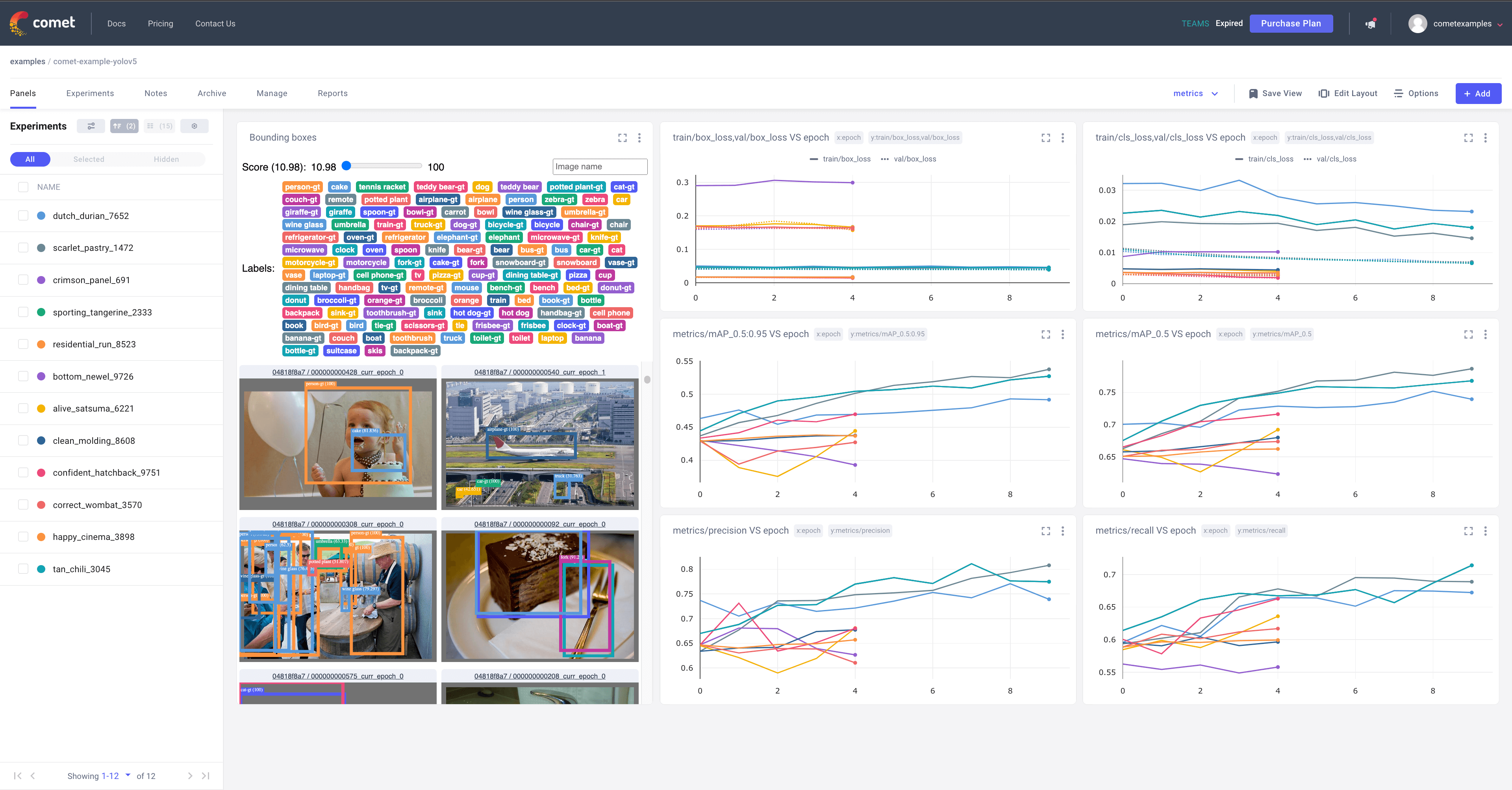
python train.py --img 640 --batch 16 --epochs 100 --data custom.yaml --weights yolov5s.pt --device 0Using transfer learning from yolov5s.pt dramatically cuts convergence time compared to training from scratch. Metrics, weight checkpoints (best.pt and last.pt), and validation bounding-box batches are automatically output to runs/train/exp/.
Exporting Models for Production Deployment
While PyTorch checkpoints (.pt) work well for experimentation, production environments require optimized execution engines to reduce latency and memory consumption.
The repository includes export.py, which handles graph tracing, constant folding, and quantization:
# Export to ONNX
python export.py --weights runs/train/exp/weights/best.pt --include onnx

# Export to TensorRT (NVIDIA GPUs)
python export.py --weights runs/train/exp/weights/best.pt --include engine --device 0
An exported ONNX or TensorRT model can run inside C++ runtimes, Triton Inference Server, or edge hardware like NVIDIA Jetson devices without requiring a full PyTorch runtime.
Why YOLOv5 Remains Relevant
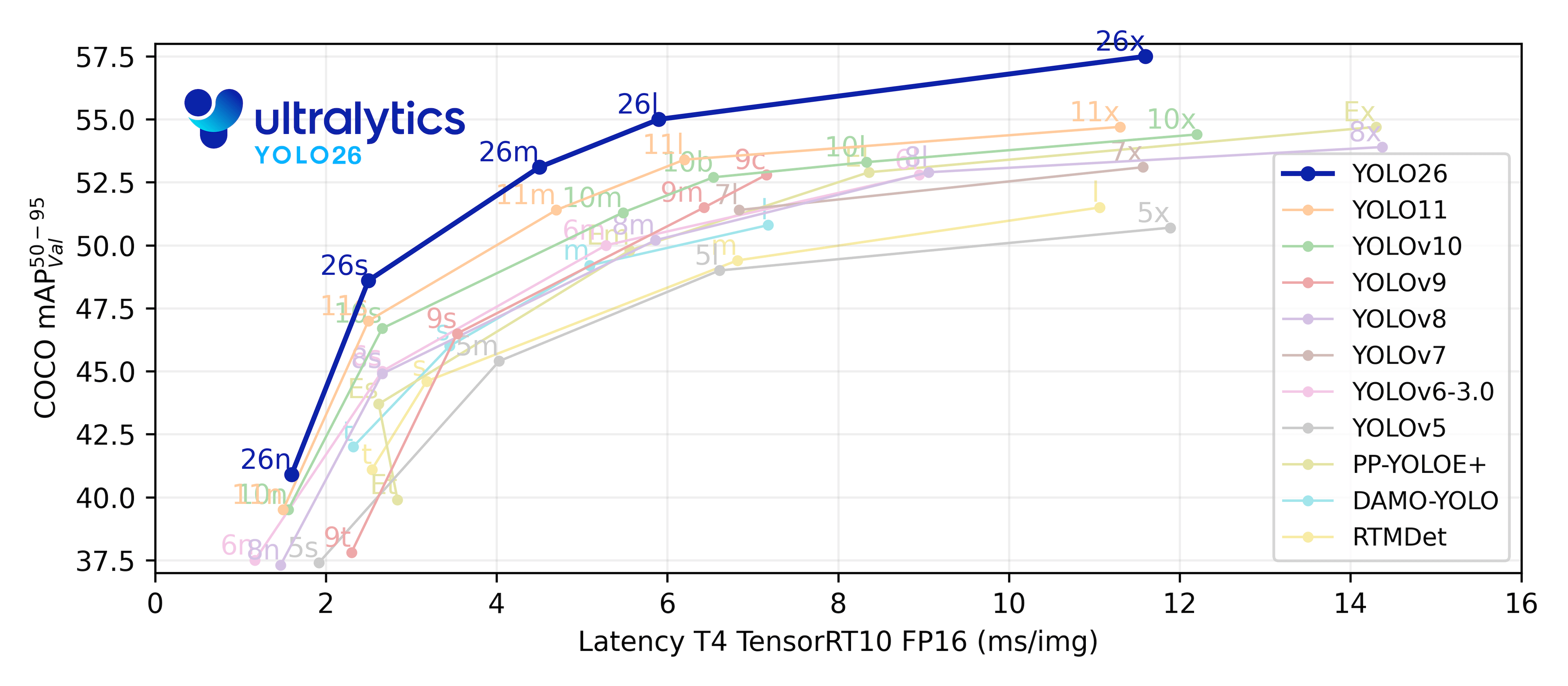
Ultralytics has since introduced YOLOv8 and YOLO11 with updated vision architectures and multi-task features (pose estimation, segmentation). Despite these advancements, YOLOv5 continues to see massive daily downloads and active development.
Its primary advantage is maturity. The YOLOv5 codebase has resolved edge cases across thousands of deployment scenarios, hardware platforms, and compiler versions. For embedded engineers who require deterministic behavior, well-documented C++ export targets, and battle-tested stability, YOLOv5 remains an exceptional baseline for real-time computer vision.