ZAM EverQuest: Essential Guide to the EQ Database
Few online gaming resources boast the longevity, depth, and cultural weight of the community compendium known to veterans as Allakhazam, or simply zam everquest. Since the dawn of EverQuest in 1999, players stepping foot into the perilous world of Norrath have relied on external documentation just to survive. Unlike modern MMORPGs that guide players with mini-map waypoints and sparkling quest trails, classic and modern EverQuest demand investigation, patience, and community knowledge. For more than two decades, ZAM has served as the definitive encyclopedia for adventurers seeking everything from rusty daggers to mythical Epic weapons.

The Evolution: From Allakhazam to ZAM
Before it carried the ZAM moniker, the site was founded as Allakhazam’s Magical Realm by Dan Morrison. During an era when web design was rudimentary and dial-up connections were standard, Allakhazam provided a searchable, centralized repository of game items, NPCs, and spell lines. As Norrath grew through dozens of expansions, the platform expanded its technical backbone, eventually integrating into the wider ZAM Network.
Though corporate acquisitions shifted branding over the years (and the site later became tied into the Fanbyte network), players still refer to it interchangeably as "Alla" or "ZAM." Despite modern competition and UI redesigns, its core value remains unchanged: it preserves an unbroken historical record of Norrath's mechanics, loot tables, and quest dialogs from 1999 to the latest expansion.
Key Features of the ZAM EverQuest Database
To get the most out of the site, players need to know how to navigate its sprawling catalog. While a simple search bar greets you at the top, the real utility lies in its specialized indexing.
1. The Item Database and Advanced Filtering
Whether you are gearing up a level 10 Enchanter or optimizing a max-level Shadowknight, ZAM's item database provides granular filtering tools. You can narrow queries by:
- Class and Race: Exclude gear your character cannot equip.
- Item Slot: Narrow searches to primary hand, rings, charm slots, or augmentations.
- Stat Thresholds: Filter by Heroic stats, Mana Preservation foci, AC benchmarks, or specific click effect spells.
- Expansion: Crucial for players on Time-Locked Progression (TLP) servers who must know if an item exists in their current era.
2. Quest Walkthroughs and Epic Guides
EverQuest quests rarely come with clear instructions. NPCs speak in cryptic dialogues, requiring players to respond with exact bracketed phrases to trigger trade sequences. ZAM records these exact conversations, required faction standings, item turn-in combinations, and the exact coordinates where target mobs spawn.
The site's step-by-step breakdowns for the iconic Epic 1.0, 1.5, and 2.0 quests are legendary. These multi-month journeys require tracking down dozens of rare spawns, raid encounters, and ground spawns across dozens of zones—a task virtually impossible without ZAM's mapped-out routes.
3. Bestiary and Spawn Dynamics
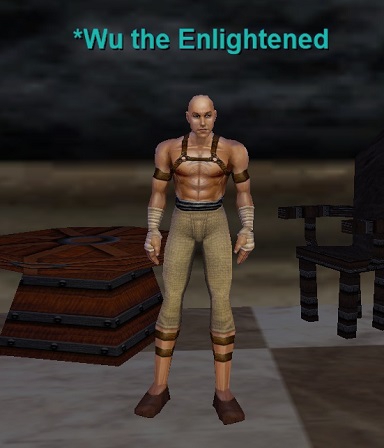
Need to know what an NPC drops, what level it is, and whether it sees through invisibility? The ZAM Bestiary documents individual mob stats, known abilities (such as complete heals or harm touches), faction adjustments upon death, and associated placeholders. It also records locs (X, Y, Z coordinates) so you can target and camp rare targets efficiently.
The Secret Weapon: The Player Comment Section
While the database entries themselves are meticulously maintained, the true lifeblood of ZAM is its archive of user comments. Often dating back to 2001 or earlier, these community notes contain critical gameplay context that raw data entries miss:
- Pathing Quirks: Comments often explain if a mob tends to path into dangerous packs of adds or fall through zone geometry.
- Placeholder Mechanics: Players break down exact respawn timers (e.g., "6 minutes 40 seconds on the roaming goblin at loc +120, -450") and identify precisely which placeholder triggers a named encounter.
- Faction Fixes: If an NPC refuses to talk to you, the comments almost always outline the fastest way to raise the necessary faction reputation, including alternative turn-ins or faction tricks (such as Sneak, Invisibility, or Wolf Form).
- Post-Patch Adjustments: Whenever a patch changes an encounter or nerfs a drop rate, users immediately document the live changes in the comments.
Using ZAM on Time-Locked Progression (TLP) Servers
Progression servers are wildly popular in modern EverQuest, periodically rolling the game back to the original release and unlocking expansions on a fixed timeline. Navigating ZAM as a TLP player requires a discerning eye, because the database reflects modern live servers by default.
When searching for classic content, keep these rules in mind:
- Check the Expansion Tag: Ensure the item or quest was introduced during the era your server is currently playing (e.g., The Ruins of Kunark, The Scars of Velious, or Planes of Power).
- Beware of Revamped Items: Many classic zones (like Blackburrow, Cazic-Thule, or Highpass Hold) underwent revamps over the years. Look at the date on user comments; if an item discussion suddenly begins in 2005, it may not exist in the original 1999 version of that zone.
- Look for Out-of-Era Spells: Some utility spells were introduced retroactively to help lower-level characters. ZAM entries generally flag when a spell was added to live servers.
ZAM vs. Alternative EverQuest Resources
While ZAM is the most historically complete database, it works best when paired with other specialized community resources:
- EQResource: Excellent for modern expansions (from House of Thule to the present). It features clean maps, spell databases, and modern raid strat guides with a sleek, responsive interface.
- Project 1999 Wiki: Ideal for players on emulated classic servers. If you are strictly playing between original EQ and Velious, the P99 Wiki provides an isolated snapshot of that exact ruleset without the noise of later expansions.
- Magelo: Great for character profiling, equipment comparisons, and gear scoring.
- Raidloot: A fast, lightweight search engine optimized specifically for filtering modern items, spells, and Alternate Advancement (AA) abilities.
Pro-Tips for Searching ZAM Like a Veteran
To minimize frustration and bypass clunky native search indexing, seasoned players rely on a few simple search shortcuts:
- Leverage Google Site Search: If the internal ZAM search bar is lagging, open Google and type:
site:everquest.allakhazam.com [item or quest name]. This typically leads directly to the primary page without navigating menus. - Sort Comments by Rating: The comment sorting tool allows you to filter out noise and view top-voted explanations from community legends who solved quest bugs decades ago.
- Bookmark the Zone Connection Maps: ZAM maintains classic zone connection charts that clarify which zones connect to where—an essential aid when navigating labyrinthine outdoor zones without a compass.
Conclusion
In an era where many classic gaming archives have disappeared into internet obscurity, ZAM stands as an active monument to MMORPG history. Whether you are hunting your first bone chips outside Freeport or working through the progression tasks of the newest expansion, understanding how to harness the ZAM database is the ultimate skill in any Norrathian's spellbook.